 Join Discord
Rob Run Glow Chams Colours and How to Pick One
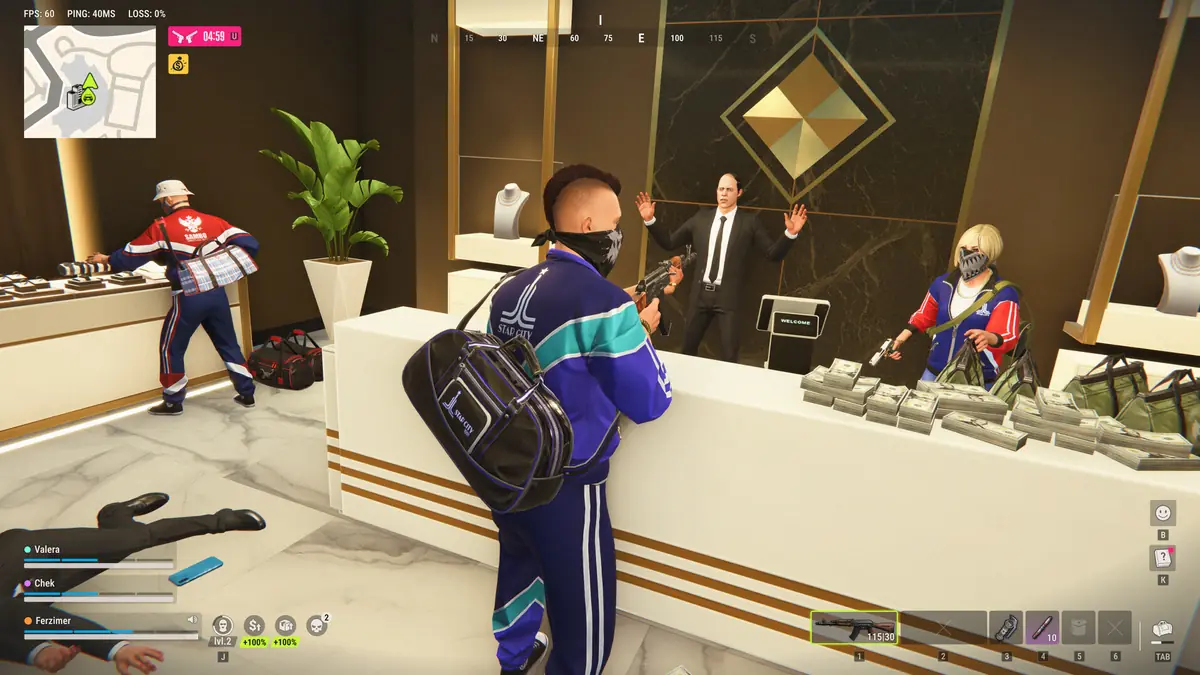
A gang war spills into a street your clan holds, and players from both sides are ducking between parked cars, doorways and bins. In that mess, picking out a body before it moves again is half the fight. Rob Run glow chams paint each player model in a glowing colour so it stands out from the street behind it. Rob Run Inferno has five glow colours and four other materials, and this Surch Cheats guide is about choosing between them.
Five Rob Run Glow Chams Colours
Glow is the biggest family in the chams group, and Rob Run glow chams come in five colours: Purple glow chams, White glow chams, Cyan glow chams, Lime glow chams and Banana glow chams. Each one paints a player model in its colour, and the point of all five is the same. You want a body that separates from whatever is behind it instead of blending into it.
No colour wins everywhere. Which one stands out depends on what surrounds the player when you see them, so treat the five as options to rotate through rather than a ranking. Our Rob Run chams guide covers what chams change on a model in general, and this page sticks to the choosing.
Four Rob Run Chams Without the Glow
Not every material has glow in its name. Cyan blur chams, Pink chams, Orange chams and Red see-through chams make up the rest of the nine. Their names are the best description of how each one looks, and at Surch Cheats we won’t go further than they do.
So why pick one of these over a glow? Sometimes you want less going on. A bright glow on every player in a packed room makes the whole view busy, and one of these four may be a way to calm it down while still lifting bodies off the background. Fights run long because Kefir keeps time to kill deliberately high, and a screen you can stand to look at for a whole firefight matters more than the brightest colour on offer.
Custom Cham Materials for Swapping Rob Run Chams
Custom cham materials is the option that sets which material a model wears, and you can change it whenever you like. That matters in a game that resets every week. Each wipe cycle runs seven days by Kefir’s current count, then everyone starts over, and the hideout you defend after the next wipe may not look anything like this one. A colour you settled on for one set of rooms is worth checking again once the server resets.
It also lets the colour follow the job. A raid on a rival base and a fight out on the street put very different backgrounds behind the players, and swapping material between the two takes a moment in the menu.
Rob Run Local Player Chams on Your Own Character
Local player chams colour your own character, and they’re a separate switch from the chams on everyone else. If you turn them on, Independent material selection means your character can wear something different from the players around you. You could give yourself a glow and keep a calmer material for targets, or the other way round, without one choice forcing the other.
Whatever you pick, keep your own colour and your targets’ colours apart. In a stairwell scrum with bodies pressing in from both floors, a glance that lands on the wrong glowing model wastes the moment you had.
Glow Chams With Rob Run Clan Tags and Name ESP
A glow tells you where a body is and how it’s standing. It doesn’t tell you whose side it’s on, because chams carry no text and nothing in the chams list sorts players by side. In a gang war that’s the gap to fill. Clan tag ESP and Player names put text over each model, and the custom role colours in Player ESP mark cops and criminals differently, so a glowing raider can also be a named one from a clan you recognise.
Truces are where the combination pays off. Two clans holding a truce can end up in the same street with every body glowing the same colour, and the tag over each head is what stops you opening fire on an ally. Our Rob Run name ESP guide covers the text side in full.
Where Rob Run Glow Chams Stay Dark
Rob Run glow chams can only colour a model your game has been sent, and Kefir’s 9 November 2026 statement says that only happens for players within a short perimeter. A crew waiting at the far end of Looty Bay won’t glow on your screen however bright the colour. Kefir also describes closets and some containers as complete cover from wallhacks, so a defender hiding in one stays invisible whichever material you choose.
The colour doesn’t touch your risk either. Kefir says its servers verify key in-game actions and that cheating ends in a permanent ban, and Rob Run uses Easy Anti-Cheat, which the Steam store lists as kernel level. A new material is a change to your screen and nothing else.
Glow Chams in the Rob Run Inferno Cheat
All nine materials, along with Local player chams and both material options, come with Rob Run Inferno at Surch Cheats. You’ll find it in our Rob Run cheats category, and the Rob Run Inferno page lists every chams option beside player ESP and the radar.