
 Join Discord
Rob Run Loot ESP With Value, Rarity and Category Filters
You’ve got a minute or two in a Looty Bay jewellery shop before somebody raises the alarm, and the back room is full of things you could carry out. Most of them aren’t worth the space in your bag. Rob Run loot ESP draws the items around you with their name, distance and value, then lets you filter out everything you don’t want. This guide covers the core options in the Loot ESP group of Rob Run Inferno and how they fit the money side of a wipe.
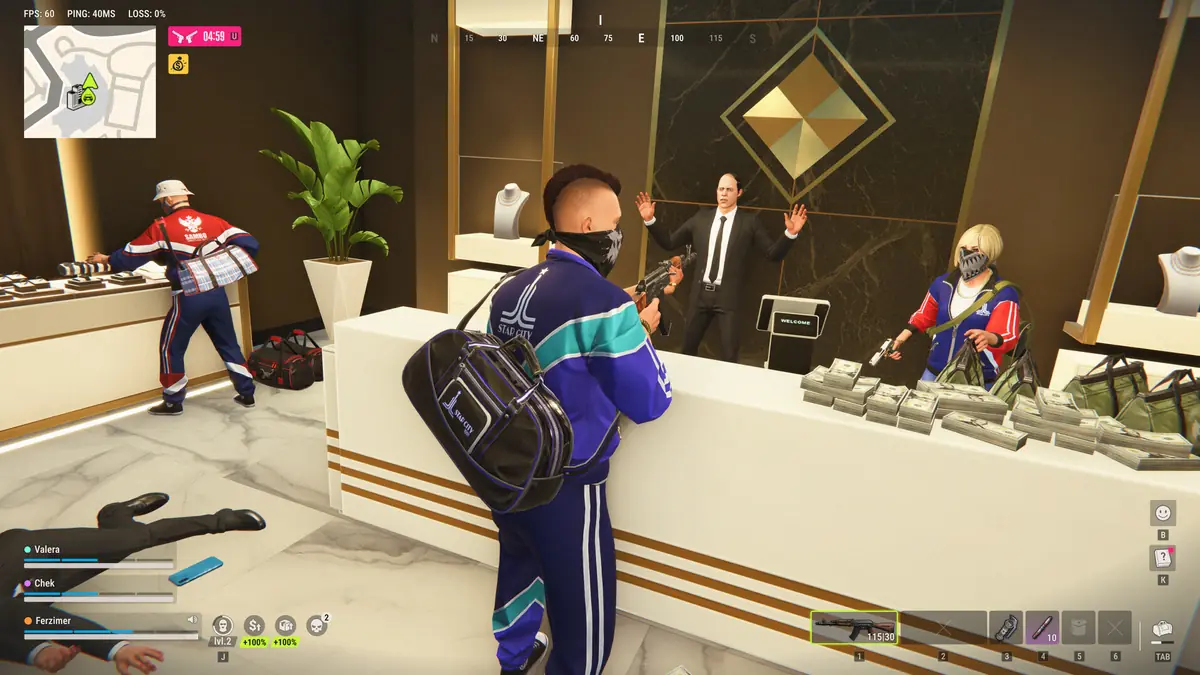
Names, distance and value on Rob Run loot
Loot ESP is the switch that turns item drawing on, and three readouts fill in the detail. Loot names tell you what each item is, loot distance tells you how far away it sits and the loot value display puts a price beside it. Kefir’s Help Center lists collecting and selling loot as one of the main ways to make money in Rob Run, so the price is the readout you’ll check most.
The gap between a good find and a wasted trip is wide. Kefir’s 17 September gameplay overview describes loot ranging from gear and vehicle keys to room keys, blueprints and land deeds. A name alone won’t tell you which of two unfamiliar items deserves the detour, and a value beside each one settles it before you cross the room.
Loot ESP minimum value filter for crowded Rob Run shops
Draw every item in a busy shop and the markers stack up until you can’t pick out the one you came for. With Rob Run loot ESP running, the minimum value filter hides anything worth less than a figure you set, so cheap pickups drop off the screen and the valuable ones stand out.
Where you set it depends on how your visit is going. Kefir’s gameplay overview says higher Notoriety brings better loot and payout rates along with more risk. Its 13 November FAQ post adds that solo players start at Notoriety level 4 and get bonuses for selling goods and collecting loot. A low threshold suits a fresh start, when almost anything is worth selling. Once bigger targets are on your list, raising it keeps a solo run short, and that matters when nobody is watching the door for you.
Category and rarity filters in Rob Run loot ESP
Loot category filters switch whole groups of items on or off. Our list has separate loot entries for weapons, ammo, armour, equipment, medicine, grenades, keys, cash and valuables among others, and the category filters let you keep only the groups your trip is about. A crew heading for a bank job doesn’t need ammo markers on the way there. A player rearming after a rough fight might want weapons and ammo and nothing else.
Loot rarity filters sort on a different line. They ask how rare an item is rather than what it is. Community wikis list rarities such as Uncommon, Epic, Legendary and Exotic, and we haven’t seen Kefir publish its own breakdown, so treat those names as player findings. Rarity is the filter to reach for when you only care about the top end and don’t mind what shape it comes in.
Custom colours for Rob Run loot markers
Two colour options sit on top of the filters. Custom category colours give each type of item its own colour, and custom rarity colours do the same by rarity. At Surch Cheats we’d choose one as your main read and keep the other subtle, so a quick glance tells you what you need without decoding two schemes at once.
Colour also keeps loot apart from everything else on your screen. Players, cameras and vehicles all get their own drawings in our ESP, and a Rob Run loot ESP marker in the same colour as an enemy box is one you’ll misread at the worst moment.
How far Rob Run loot ESP reaches
The Loot ESP group has its own adjustable render distance, separate from the one for players. A short range keeps markers to the room you’re in, which suits a quick job with the police on their way. A longer range helps when you’re driving between targets and deciding whether a stop is worth making.
There’s a limit no slider changes. Kefir’s 9 November anti-cheat statement says the information its servers send to each player’s game is restricted, and it describes cheats as reading local data only within a short perimeter. Kefir doesn’t spell out how that applies to items, so treat a long render distance as a ceiling. It isn’t a promise that every item in the district will show up.
What Rob Run loot ESP won’t do
The same statement lists things Kefir says no cheat can do in Rob Run, and two of them touch loot directly. By Kefir’s account, cheats can’t see inside containers nobody has looted and can’t loot from a distance. Rob Run loot ESP marks items your game already shows in the world. It won’t tell you what an unopened container holds, and you still have to walk over and pick things up yourself.
Other players’ stashes are off the table too. Kefir says cheats can’t breach another player’s property or inspect a private inventory, so a rival’s hoard is something you take in a raid, not something a filter finds for you.
Rob Run loot ESP questions
Can I run loot ESP and player ESP at the same time?
Yes. They’re separate groups in the cheat, each with its own colours and render distance, so players can stay drawn while loot markers come and go.
Does the loot value display show what the fence will pay?
It puts a value beside each item, but our list doesn’t say how that value is worked out. Community wikis report that fence prices rise with Notoriety, so read the figure as a guide to what’s worth carrying rather than an exact quote.
Loot ESP, lost bags and a permanent Rob Run ban
Carrying loot is when you’re most exposed in the game. Kefir’s Help Center says a criminal who dies in Looty Bay loses their bag, so Rob Run loot ESP is at its most useful when it gets you in and out quickly.
Your account is exposed the whole time as well. The Steam store puts Easy Anti-Cheat on Rob Run at kernel level, and a permanent ban is what Kefir says cheaters get. Drawing loot doesn’t change that, and we at Surch Cheats won’t pretend it does.
Here at Surch Cheats, loot ESP comes as part of Rob Run Inferno rather than as an extra, and you’ll find its four durations in our Rob Run cheats category. Our Rob Run ESP and wallhacks guide shows how the loot group sits beside player, world and base ESP, and the Rob Run cheat guide links every other feature.