
 Join Discord
Rob Run Out of FOV Arrows for Players Off Screen
You’re bent over a dumpster digging for cash when someone rounds the corner behind you. Nothing shows on screen, because nothing in front of you has changed. Rob Run out of FOV arrows are made for that moment. A small arrow near the centre of your view points the way to a player you can’t see. This page from Surch Cheats goes through how to set them up in Rob Run Inferno, from radius and size to which roles get an arrow at all.
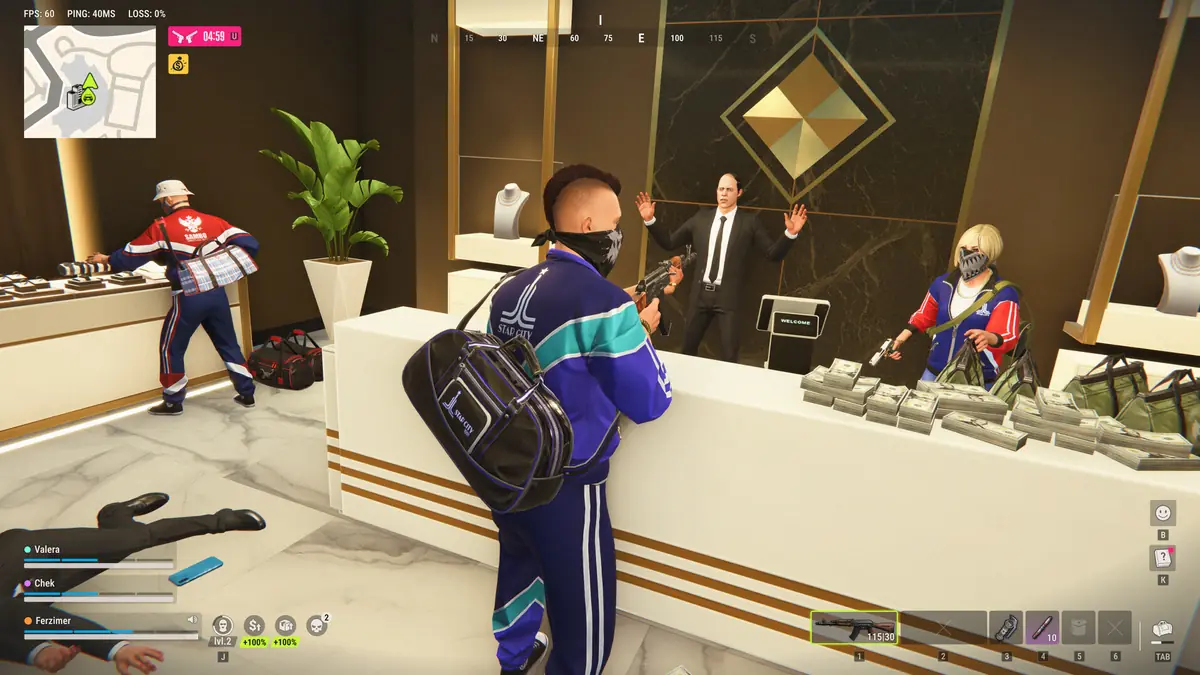
How Rob Run Out of FOV Arrows Find Unseen Players
Out-of-FOV arrows sit in the Radar & Indicators group of Rob Run Inferno. Each arrow belongs to a player who is in range but outside your field of view, and it points from the centre of your screen in that player’s direction. Turn towards the arrow and the player swings into view, where the rest of your ESP takes over.
The arrows do a different job from the radar panel. The radar is a map you glance down at. Arrows sit close to where you’re already looking, so you can keep your eyes on the door in front and still know someone is behind. Our Rob Run radar guide covers the panel and its own filters.
Setting the FOV Arrow Radius in Rob Run
Adjustable arrow radius sets how far from the centre of the screen the arrows sit. A tight radius keeps them almost on your crosshair, where you can’t miss them but where they crowd the player you’re fighting. A wide radius pushes them out towards the edges, cleaner for aiming but easier to ignore once a fight gets frantic.
Fights in this game argue for the tighter end. Kefir says a lot of the fighting is indoors at point-blank range, and in a cramped room the player behind you is only a few steps away. An arrow you notice a second late is worth very little there.
FOV Arrow Size for Tight Rob Run Rooms
Adjustable arrow size changes how big each arrow is drawn. Bigger arrows are hard to miss, but in a bank lobby with five players around you they start to cover the very doorways you’re watching. Smaller arrows stay out of the way and rely on you checking them.
Size and radius work as a pair. A small arrow on a tight radius sits just off the crosshair without hiding much. A large arrow on a wide radius reads easily from the corner of your eye while you drive, which suits a getaway where you need the road more than the middle of the screen.
OOF Role Filters for Police or Criminals
OOF role filters choose which roles Rob Run out of FOV arrows point at, separately from the radar’s own role filters. That split is useful. You can keep everyone on the radar panel for the full picture while giving arrows only to the side that worries you, so the arrow beside your crosshair means something every time it appears.
Think before you filter, though. As a criminal on a heist, arrows for the police alone keep the screen clean, but rival crews are criminals too, so filtering out criminals also hides a rival clan creeping up the back stairs. As a cop the choice is simpler, since criminals are the people you’re there to chase.
Role-Based FOV Arrow Colours on a Rob Run Heist
Role-based arrow colours give each role its own arrow colour. Leave several roles switched on and colour tells you what kind of player is behind you without turning round. A heist where the police arrive while your crew is still inside is the obvious case. An arrow in the police colour from the stairs means turn now, while one in the criminal colour may just be one of your own.
Colours help on the move too. During a chase through back streets, a glance at the colour tells a cop whether the arrow behind is a criminal doubling back or a fellow officer catching up.
Where Rob Run Out of FOV Arrows Go Quiet
Rob Run out of FOV arrows rely on the same data as the rest of your ESP. Kefir’s statement of 9 November 2026 says the server only passes your game the players inside a short perimeter, so a crew gathering two streets away gets no arrow until they close in. Kefir also says that hiding in closets and some containers completely conceals a character from radar and wallhacks. Since an arrow can only point at a player your game knows about, someone in a closet gets no arrow either.
Keep that in mind on a loot run. Kefir put more cash in dumpsters at launch, which means more time with your back to the street, and a clear space around your crosshair only tells you nobody is near enough, or out in the open enough, for your game to know about them.
Out of FOV Arrows and Your Rob Run Account
Kefir says parts of its detection run in shadow mode and that cheating is punished with a permanent ban. Rob Run uses Easy Anti-Cheat, which the Steam store lists as kernel level. Arrows never touch your aim, but they’re still cheating, and at Surch Cheats we make no claim that they carry less risk.
Out-of-FOV arrows and their four options come with Rob Run Inferno, part of our Rob Run cheats category at Surch Cheats. Check the full Radar & Indicators group on the Rob Run Inferno page, and read the Rob Run player radar guide for the panel’s options in the same depth.