 Join Discord
Rob Run Player Radar Options From Role Filters to Opacity
Three police markers, two of your crew and a civilian walking past all bunch into one corner of the panel, and you can’t tell at a glance which dot is about to come through the door. The Rob Run player radar in Rob Run Inferno comes with eleven options, and this Surch Cheats guide works through each one for the job in front of you.
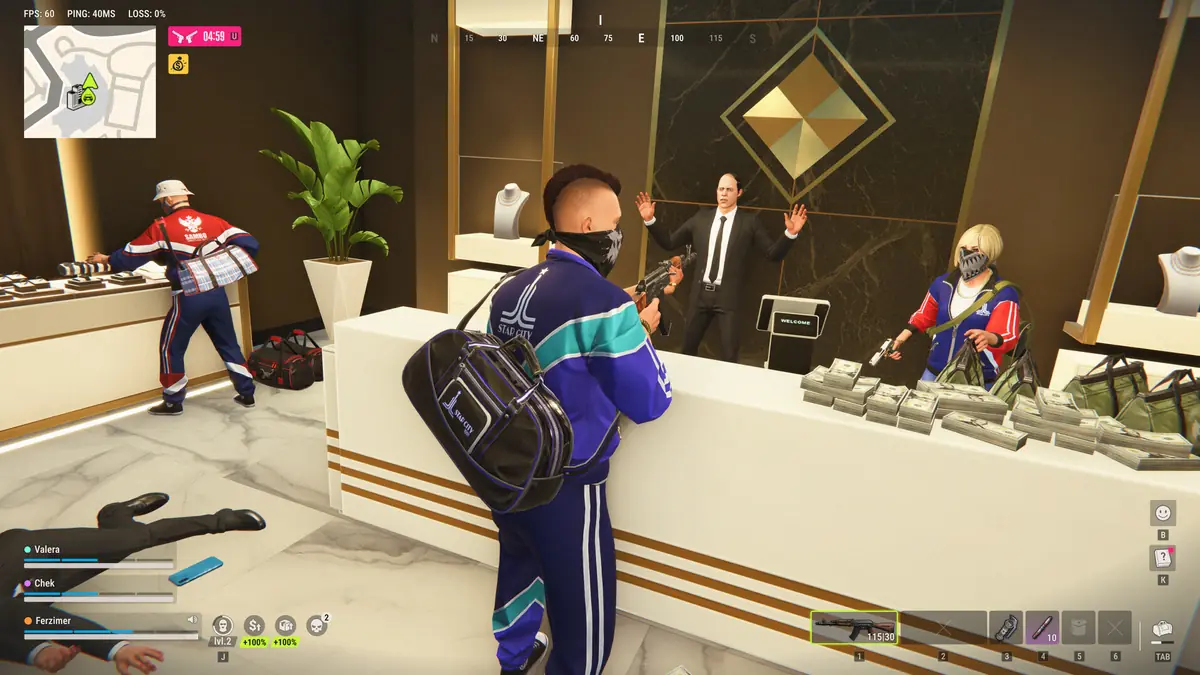
The Rob Run player radar and its eleven options
The player radar is the panel itself, centred on you, with other players drawn as markers. Ten more options shape it. Radar role filters and Show teammates control who gets a marker, while the distance visualizer, adjustable radar radius and adjustable radar distance change how space reads on the panel. Orientation lock sets how it turns. The last four are about looks and placement: custom player marker size, custom radar background, adjustable background opacity and draggable radar position.
Our Rob Run radar guide covers how the panel reads during a heist and beside out-of-FOV arrows. This page takes the Rob Run player radar option by option.
Radar role filters for Rob Run cops, criminals and civilians
Looty Bay has three kinds of player. Kefir’s rules make you a criminal the moment your mask goes on. Cops enlist at the police station when a slot is open, and civilians are the players who keep their bag and gear if they die in the city. Radar role filters choose which of them get a marker.
On a criminal job you’ll usually want cops and other criminals, because rival crews rob the same places you do. A player guide says civilians can’t use weapons, which makes them the easiest role to drop when the panel gets busy.
As a cop the logic flips. Criminals are the job, and other cops show where help is. Kefir’s help centre says calling for backup brings upgraded gear and a temporary pay boost, so keeping fellow officers on the panel tells you how far away that backup is.
Show teammates in a Rob Run party of three or a clan of 100
Show teammates adds or removes the players on your side. Kefir keeps parties at three players, and a clan can hold up to 100 members on one server. The feature list doesn’t say whether teammates means your party, your clan or both, so check how it behaves before a big raid.
In a party of three, leaving teammates on costs almost nothing and stops you mistaking a friend for a threat. The same guide says everyone in a group must share a role in Looty Bay, so a criminal watching rival crews on the radar relies on Show teammates to keep their own people apart from the rest. In a clan raid with dozens of your own players round a base, switching teammates off may be the only way to find the markers that matter.
The distance visualizer and Rob Run damage falloff
A dot tells you direction easily and distance badly. The distance visualizer is there for the second part. The list doesn’t describe how it draws distance, so see how it reads before you rely on it.
Distance means more in Rob Run than in most shooters. Kefir built steep damage falloff into the guns, so a player far out on the panel is a much smaller threat than one a few metres away, even when both are heading your way.
Radar radius and radar distance in Rob Run Inferno
Adjustable radar radius and adjustable radar distance sound alike and change different things. Radius is the size of the panel on your screen. Distance is how far out from you it plots players. Shorten the distance on the same radius and the markers spread apart, which is handy inside a bank where everyone is a few rooms from you.
A longer distance suits the road, where you want a pursuit car on the panel well before it reaches your bumper. There’s a ceiling either way. Kefir says the server only sends each client local data within a short perimeter, so pushing the distance past that adds empty panel, not more players.
Kefir also says closets and some containers hide a character from radar completely. Our Rob Run hide spot ESP guide covers the hiding places themselves.
Orientation lock on a Rob Run getaway
With orientation lock off, the panel spins as you turn so whatever is in front of you stays at the top, which reads naturally on foot. Lock it and the panel holds still while you turn, which can be easier to match against the global map.
Car chases are where the choice shows. Kefir says criminal cars handle better than police cruisers and that ramps help an escape, so a criminal driver may be throwing the car round more corners than the cop behind. A panel that spins with every turn is hard to read at that pace, and a locked one can make the cop’s marker easier to follow.
Rob Run radar markers, background and position
Custom player marker size makes the dots bigger or smaller. Bigger ones read faster in a fight. Smaller ones stop a crowded panel turning into one blob during a clan raid.
Custom radar background and adjustable background opacity decide how much of the world the panel covers. A solid background makes markers stand out, while a see-through one lets you keep watching the street behind it. Draggable radar position puts the whole panel wherever you want it. Keep it close to where your eyes already rest, because a radar you have to look away for costs you the glance it was meant to save.
Three Rob Run player radar configs
For a heist as a criminal, keep cops and criminals on, drop civilians and leave teammates on in a small party. Shorten the distance so the building fills the panel, and use larger markers for when everything moves at once.
A cop on patrol wants criminals and other cops on, a longer distance for the drive and orientation lock to try during a chase.
Defending your clan’s base, switch teammates off once everyone is in position and keep criminals on. Raise the radius so the Rob Run player radar is easy to read from the corner of your eye while you watch the doors.
Kefir’s bans and the Rob Run player radar
Every option on this page is part of a cheat, and Kefir’s answer to cheating on Rob Run, which uses Easy Anti-Cheat, is a permanent ban. The developer’s 9 November statement put cheat-related bans at more than 4,000 since Early Access began. Setting the panel up neatly changes how it reads, not how Kefir treats your account, and we at Surch Cheats won’t suggest otherwise.
The player radar and all eleven options come with Rob Run Inferno in our Rob Run cheats category at Surch Cheats. You’ll find the full Radar & Indicators group on the Rob Run Inferno page.