
 Join Discord
Rob Run Aimbot Smoothing and Deadzone Explained
A criminal bursts out of a stairwell door a metre from your face, and your crosshair has to cross from the wall you were watching to his chest before the trade even starts. How quickly it makes that trip is what Rob Run aimbot smoothing decides. Below we cover smoothing and the aimbot deadzone, the two options in Rob Run Inferno that shape the last part of every normal aim movement.
What Smoothing Does to Your Rob Run Aimbot
Aimbot smoothing sets how gradually normal aim pulls your crosshair onto the aim point you’ve chosen. With little or none, the crosshair jumps there in one movement. Turn it up and the same trip is spread out, so your view eases across the way a wrist on a mouse would. Higher smoothing is the subtler direction and low or disabled smoothing is the more blatant one, a difference anyone watching the fight back will notice.
It changes movement and nothing else. Smoothing doesn’t decide who the aimbot picks or where on the body it aims, and it plays no part in silent aim, which sends shots without moving the crosshair and so has no travel to smooth. In Rob Run Inferno it belongs to normal aim only, alongside humanization and the deadzone.
Rob Run Aimbot Smoothing at Point-Blank Range
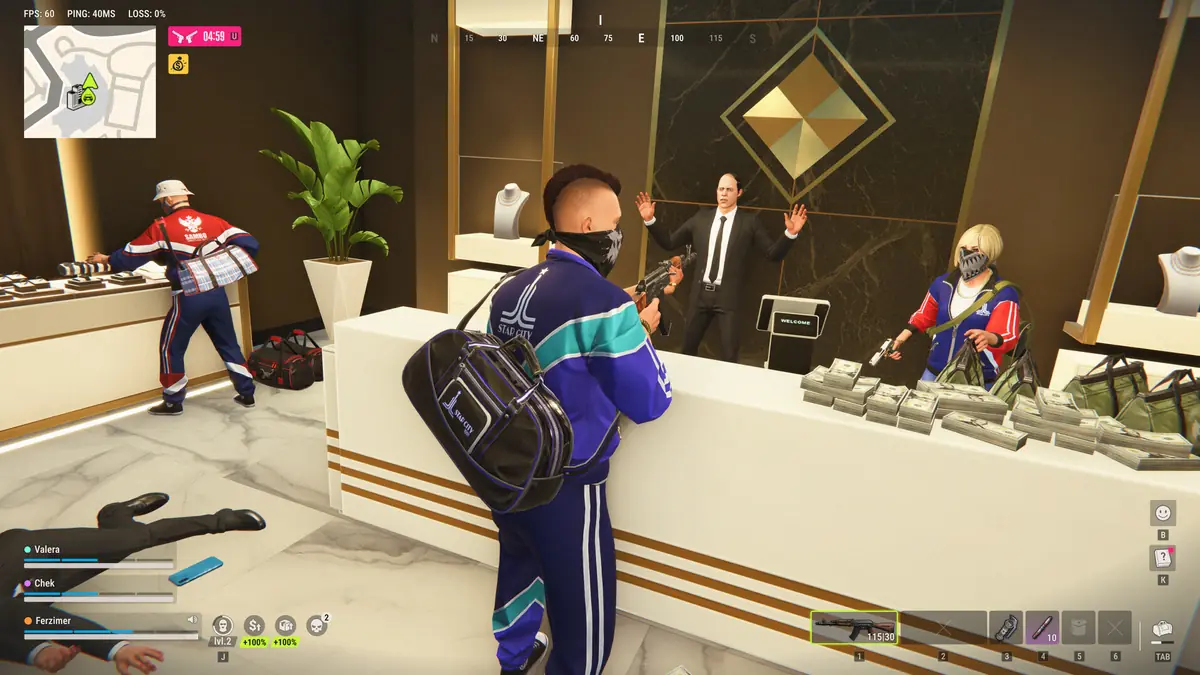
Kefir, the developer, said in a statement on 9 November 2026 that much of Rob Run’s fighting happens indoors at point-blank range. That has an awkward effect on smoothing. When a player is a few steps away, one sidestep carries them a long way across your screen, much further than the same sidestep at the end of a street. Heavy smoothing that looks natural on a distant target can trail behind someone circling you inside a bank, leaving your crosshair chasing the spot they’ve just left.
So with Rob Run aimbot smoothing, the real question up close is how much lag you’ll accept. A moderate value keeps the movement soft without letting a strafing raider walk out from under your aim. We don’t publish a number at Surch Cheats, because the right one depends on your sensitivity and how you move, so try it in the cramped rooms where you actually fight rather than on an open road.
Long Rob Run Fights Put Your Aimbot on Show
Rob Run’s time to kill is deliberately high and its headshot damage is conservative, again by Kefir’s account. A fight that would be over in one burst in a faster shooter can run for several seconds here, with both players moving the whole time. All of those seconds are aim movement on display, and a lock that would last a frame elsewhere becomes a long, steady track. That’s the stretch where aim smoothing matters most.
Police response to a robbery adds to it. When officers arrive one after another through the same door, a crosshair that leaps from the first cop to the second at full speed is about as blatant as normal aim gets. Some smoothing turns those switches into movements a player could plausibly make with a mouse.
How the Rob Run Aimbot Deadzone Works
The aimbot deadzone is a small area around the aim point. Once your crosshair is inside it, normal aim stops correcting and leaves the last few pixels to your hand. Without one, the aimbot keeps nudging your view at every small movement the target makes, and that constant correction can look stranger than a snap.
Rob Run’s close fights are where the deadzone shows its value. Picture a cop and a criminal trading shots across a hideout, both shuffling and crouching behind whatever cover there is. With a small deadzone, the aimbot handles the bigger travel and your mouse settles the final adjustment. Make it too large and the aimbot lets go before you’re properly on target, so one stray step from the other player leaves you slightly off.
Pairing Smoothing and Deadzone in Rob Run Inferno
Rob Run aimbot smoothing and the deadzone work as a pair. Smoothing controls the trip onto the target and the deadzone controls where that trip ends. A gentle trip with almost no deadzone can still look mechanical at the finish, because the aimbot is doing all the fine work. A quick trip with a generous deadzone is the reverse, a visible jump followed by your own hand. Somewhere between the two, with enough smoothing to soften the first movement and enough deadzone that the finish feels like yours, is a sensible place to start.
Aimbot humanization sits next to both and does a separate job, shaping the character of the movement rather than its pace. Our guide to Rob Run aimbot humanization covers that option, and the main Rob Run aimbot guide explains target choice, aim point and the FOV circle.
Rob Run Aimbot Smoothing FAQ
Does more smoothing make my kills slower?
It doesn’t lower your damage. It adds time before your crosshair reaches the aim point, and at point-blank range that delay is what you’ll feel, so if a strafing player keeps slipping away, ease the value down a little before changing anything else.
Is the aimbot deadzone the same as the aim radius?
No. The aim radius sets how far out from your crosshair the aimbot looks for a player, and the FOV circle shows it on screen. The deadzone is a much smaller area around the aim point, where the aimbot stops correcting once you’re already on target.
Smoothing Doesn’t Change the Rob Run Ban Risk
Smoothing changes how your aim looks to other players. It doesn’t change what Easy Anti-Cheat on Rob Run or Kefir’s own team can see. In its 9 November statement Kefir said it buys popular cheats to test its detection and runs parts of that detection in shadow mode, and its stated penalty for cheating is a permanent ban. Nothing we say at Surch Cheats about smoothing is a way around that.
Smoothing and the deadzone are two of the 18 Aimbot & Combat features in Rob Run Inferno, the cheat behind our Rob Run cheats category here at Surch Cheats. The Rob Run Inferno page lists both with the rest of normal aim, so check them there before you pick a duration.