
 Join Discord
Rob Run FOV Circle Guide to Aim Radius and Target Line
Your teammate, a raider from a rival clan and the cop who followed him in all come through a hideout door at once. Which of them your aimbot can grab depends on a ring you normally can’t see, and the Rob Run FOV circle is how you see it. This page from Surch Cheats covers that circle and what’s drawn with it in Rob Run Inferno, from the aim radius it outlines to the line that points at the player the aimbot has picked.
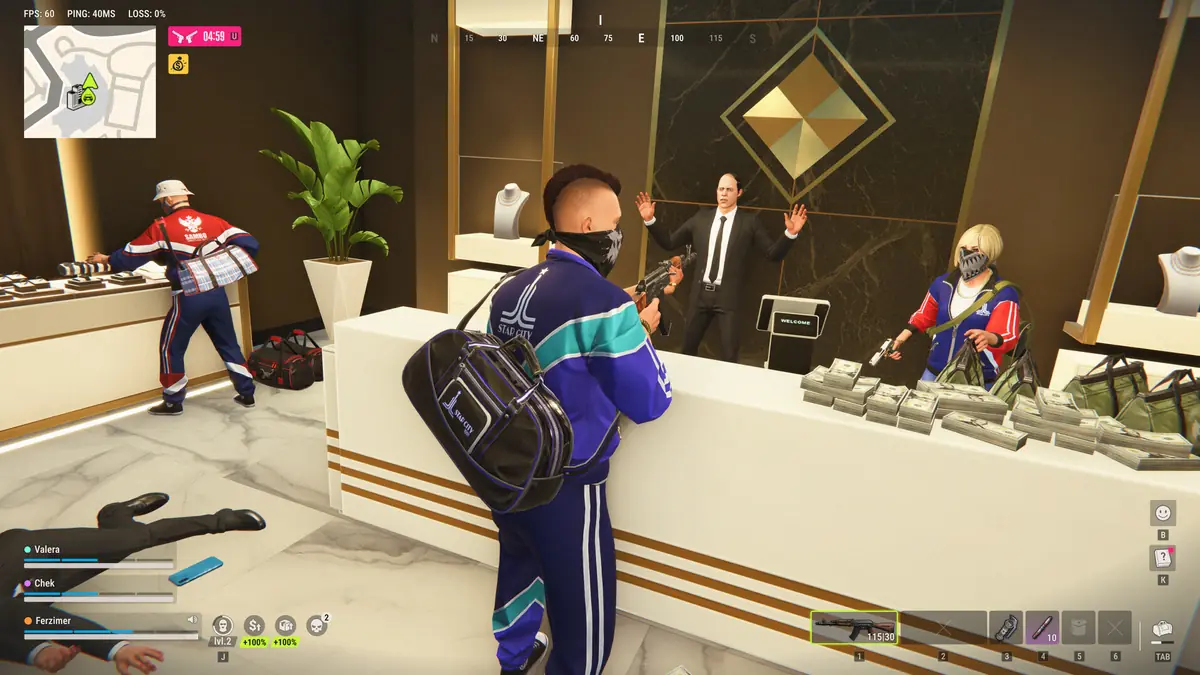
Adjustable Aim Radius Is the Real Rob Run Aimbot FOV
The circle itself doesn’t decide anything. Adjustable aim radius does. It sets how far from your crosshair a player can be and still count as a target for normal aim, and anyone outside it is ignored even if they’re standing right beside you. The FOV circle draws that radius on screen, so you can see the edge of the aimbot FOV instead of guessing where it is.
Silent aim works with a radius too, but this page sticks to normal aim, the mode that moves your crosshair onto whoever is inside the ring.
Sizing the Rob Run FOV Circle for Indoor Fights
By Kefir’s account, a large share of Rob Run fights take place indoors and at point-blank range. Up close, a player fills a big slice of your screen, so even a small circle catches the person you’re fighting. Trouble starts when the circle is wide. During a bank robbery, with your crew spread around the room and police arriving, a large radius can find a second player near the edge of your view and swing normal aim across to them halfway through a fight you were winning.
A tighter Rob Run FOV circle keeps the aimbot on the fight in front of you. You might open it up when you’re defending a hideout and expect raiders through a single doorway, then pull it back in when the room fills. Kefir’s server limit applies whatever size you choose. Each client only gets local data from a short perimeter, so no radius reaches a player the game hasn’t sent you.
Rob Run Dynamic FOV Circle and Circle Colours
Rob Run Inferno lists a dynamic FOV circle separately from the fixed one. Its page on Surch Cheats names the option without describing what it reacts to, so we won’t invent a behaviour for it. Turn each version on in the menu and watch how the ring behaves as you move and aim, then keep whichever tells you more about where the aimbot is reaching.
Custom FOV circle colour is simpler. Rob Run’s interiors run from banks to hideouts stocked with vehicles and workbenches, and a ring that blends into a wall or a parked car is a ring you stop noticing. Pick a colour that stands out against the places you fight most and you’ll read the radius at a glance instead of hunting for it mid fight.
The Rob Run Aimbot Target Line Shows Who It Picked
The circle tells you who could be picked. The aimbot target line tells you who has been. Switch it on and a line points to the player the aimbot has chosen, so in a crowded room you know which of several moving players it’s on before you commit.
Committing costs more in Rob Run than it sounds. Each player carries one primary weapon with a cooldown on switching, and the high time to kill means a fight with the wrong target lasts long enough to lose you the right one. Custom target line colour works like the circle’s colour, so give the line and the ring different colours and they won’t blur into each other or into your ESP.
The FOV Circle Is Not the Rob Run FOV Changer
The names overlap, so it helps to separate them. The FOV changer and adjustable field of view sit in the Misc group of Rob Run Inferno and change how much of Looty Bay your camera shows. The FOV circle belongs to the aimbot and only draws its radius. One changes what you see and the other shows what the aimbot can reach, and the feature list puts them in different groups.
Rob Run FOV Circle and Your Account
Nothing drawn on your screen, the Rob Run FOV circle included, changes how Easy Anti-Cheat on Rob Run or Kefir treats your account. Kefir’s stated penalty for cheating is a permanent ban, and a tidy radius only stops your aim jumping between players.
The circle is one part of normal aim. Our Rob Run aimbot guide covers the rest, and the Rob Run aim point guide explains where on a player the aimbot pulls once they’re inside the ring. Every option on this page comes with Rob Run Inferno, the cheat behind our Rob Run cheats category at Surch Cheats.
Rob Run FOV Circle FAQ
Can other players see my FOV circle?
Not in their own game, since the circle is drawn on your screen. We make no claim that the overlay is hidden from recording software, so assume anything you stream or record will show it.
Why does the aimbot ignore a player right next to me?
Often because they’re outside the aim radius. Up close, a player beside you can sit at the edge of your screen or off it entirely, beyond the circle. Turn towards them or widen the radius a little. Role filters and Ignore team can also take a player out of consideration.