
 Join Discord
Rob Run Aimbot Options for Close Fights in Looty Bay
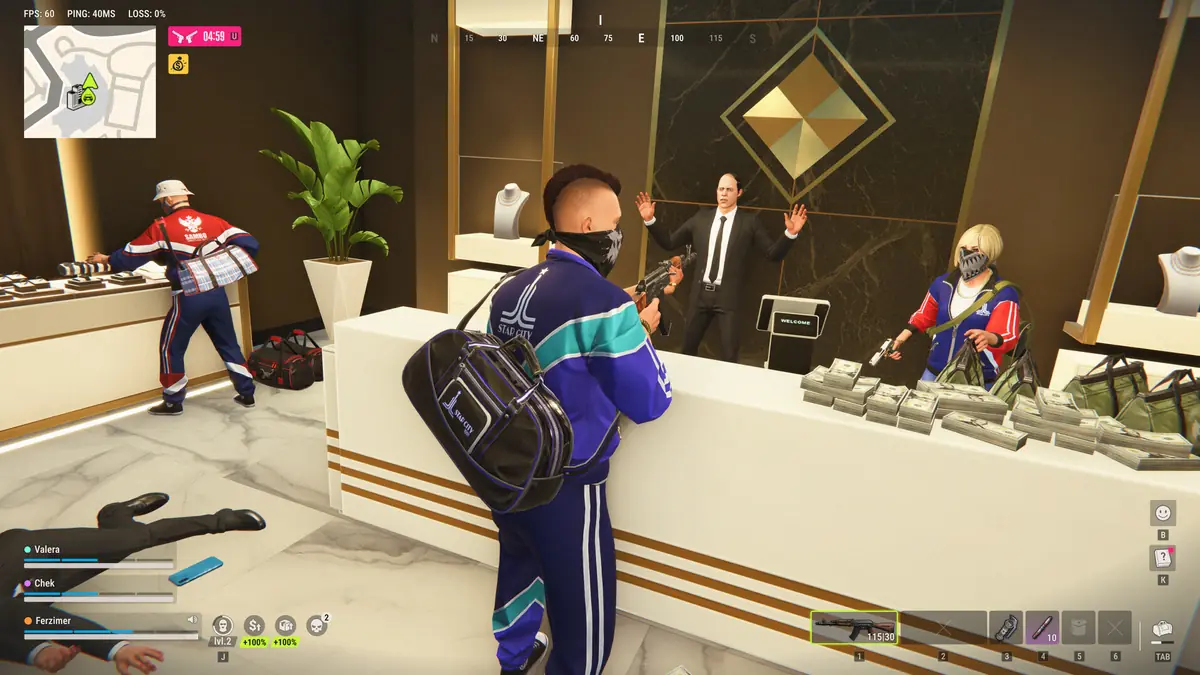
You’re halfway through a bank robbery in Looty Bay and the first cop through the door is close enough to touch. A lot of fights in this game end up like that, short and indoors, and it changes what a Rob Run aimbot is really for. This guide from Surch Cheats covers the normal aim in Rob Run Inferno: how it chooses a player, where on the body it aims and how it moves your crosshair once it has someone.
Why Rob Run fights reward staying on target
Kefir set out its combat design in a statement on 9 November 2026. There are no sniper rifles, damage drops off steeply with distance, headshot damage is kept conservative and the time to kill is deliberately high. Each player carries one primary weapon, switching has a cooldown and a lot of the fighting happens indoors at point-blank range.
Put together, that makes the Rob Run aimbot less about one flick across a street and more about staying on a player through several hits while they strafe round a cramped room. Read every option below with that in mind. Numbers that suit a shooter with long sightlines can feel wrong in a bank lobby or a back room.
Choosing who the aimbot goes for
Every cop and every criminal in Looty Bay is a real player, and you choose your side as you enter the city. Target role filters and Ignore role decide which player roles the Rob Run aimbot will consider, while Ignore team keeps it off the people you’re playing with. One room can hold your crew, a rival clan and the police at the same moment, so these filters do a lot of the work.
Picture a clan raid on a rival hideout with your teammates pushing through the same doorway. Ignore team stops the crosshair dragging onto the back of a teammate’s head during the push. Running a heist as a criminal and only worried about the officers arriving? The target role filters let you narrow the aimbot to that role. Playing as a cop, you’d set it up the other way round.
Aim point, aim radius and the FOV circle
Custom aim point selection sets where on a player’s body the aimbot pulls to. Because Kefir keeps headshot damage conservative, aiming high is less of a shortcut here than in shooters where one headshot ends a fight. Over a long exchange, a point you can hold steadily while the target moves is worth more than one lucky hit.
Adjustable aim radius decides how far from your crosshair a player can be and still get picked up. The FOV circle draws that area on screen, there’s a dynamic version as well and you can change the circle’s colour so it stands out against the walls you’re fighting between. Up close a player covers a big part of your screen, so a modest radius still catches the person in front of you. A wide one can swing your aim onto a cop stepping in through a side door when you meant to finish the raider ahead.
How the crosshair moves once it has a target
Smoothing, humanization and deadzone shape the movement itself. All three belong to normal aim and to nothing else in the cheat.
Smoothing
Aimbot smoothing sets how gradually your crosshair travels onto the aim point. Higher smoothing is the subtler direction, easing across the way a hand on a mouse would. Low or no smoothing snaps straight on, which is the more blatant direction and looks it to anyone watching a clip of the fight.
Humanization
Treat aimbot humanization as a separate job. Smoothing controls the pace, while humanization is there to make the movement itself look less mechanical when you’re tracking a player who keeps strafing down a stairwell.
Deadzone
Inside the aimbot deadzone, a small zone around the aim point, the aimbot leaves your crosshair alone. Once you’re close enough, the last few pixels are down to your own hand rather than the cheat correcting every small movement you make. In a scrappy fight at point-blank range where both of you are moving, that keeps your mouse in charge of the final adjustment.
Following the lock with the target line
With the aimbot target line switched on, a line runs to the player the aimbot has chosen, and like the FOV circle its colour is yours to set. That sounds minor until you’re in a hideout garage with three people moving between parked vehicles. The line shows which of them the aimbot is on before you commit, which matters in a game where swapping weapons comes with a cooldown.
Recoil and spread sit beside the aimbot
Recoil and spread have their own weapon group in Rob Run Inferno, with a modifier for each and an adjustable amount. Neither picks a target. The aimbot puts your crosshair on someone, while recoil and spread decide how far your shots wander once you start firing. With a high time to kill you hold the trigger for longer in each fight, so set those two alongside the aim point instead of treating them as an afterthought.
Silent aim is a different feature
Normal aim, the Rob Run aimbot this page covers, moves your crosshair. Silent aim is a separate mode with its own hitchance option, and it doesn’t use smoothing, humanization or deadzone because there’s no visible crosshair movement for them to shape. If that’s the one you’re weighing up, our Rob Run silent aim guide explains it on its own so the two don’t get muddled.
Rob Run aimbot questions
Can the aimbot lock onto someone across the map?
No. Kefir says its server architecture stops cheaters finding or killing targets across the map, and only local data within a short perimeter reaches a player. The aimbot can only work with the players close to you.
How is the aimbot set up after buying?
Setup instructions come with your order. Once the cheat is running, start with who the aimbot targets and where it aims, then move on to smoothing and the deadzone.
What the aimbot doesn’t change about the risk
Rob Run uses Easy Anti-Cheat, and Kefir says cheating results in a permanent ban. Its 9 November statement adds that the developer buys popular cheats to test its detection and runs parts of that detection in shadow mode. Smoothing and a careful radius change how your aim looks, not how an account is treated. Here at Surch Cheats we explain what the aimbot does, and we won’t promise how long any account lasts.
All 18 Aimbot & Combat features, the aimbot included, sit inside Rob Run Inferno, the cheat behind our Rob Run cheats category at Surch Cheats. Open Rob Run Inferno to see the full combat list, with player ESP and radar beside it, before you choose a duration.